No ads, No pay, only download.
One file program.
Overview
Tube Save — YouTube · Playlists · Audio
Created by sycho · v1.12 · 2026.07.03
Published by SychoSoft
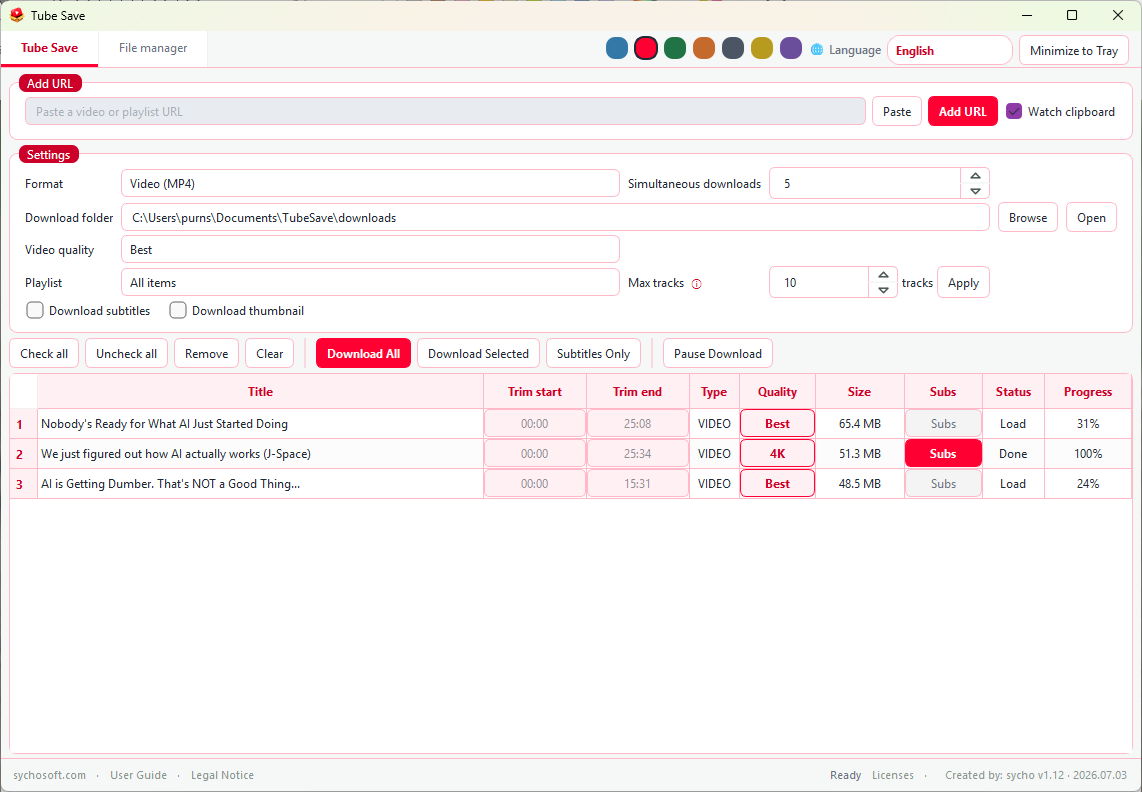
"Tube Save" is a lightweight Windows desktop app for saving online videos and audio from URLs you paste. Download MP4 video or MP3 audio, pick quality per item, trim segments, grab subtitles, and manage finished files in a built-in file manager. Add links with Paste or clipboard watch, adjust settings, and start downloads. This is a download manager — not a video player or streaming service.
Main features
- Video & audio downloads — Save as MP4 (video) or MP3 (audio only). Choose default quality; change quality per row in the list.
- Playlists — Add a playlist URL; download a single item or many items with an optional limit.
- Trim — Keep only part of a video by entering start/end times (e.g.
30:00). Requires FFmpeg. - Subtitles & thumbnails — Optional subtitle files and thumbnail images with video downloads.
- Download queue — Download selected items or all items; pause, resume, or stop the queue. Several simultaneous downloads supported.
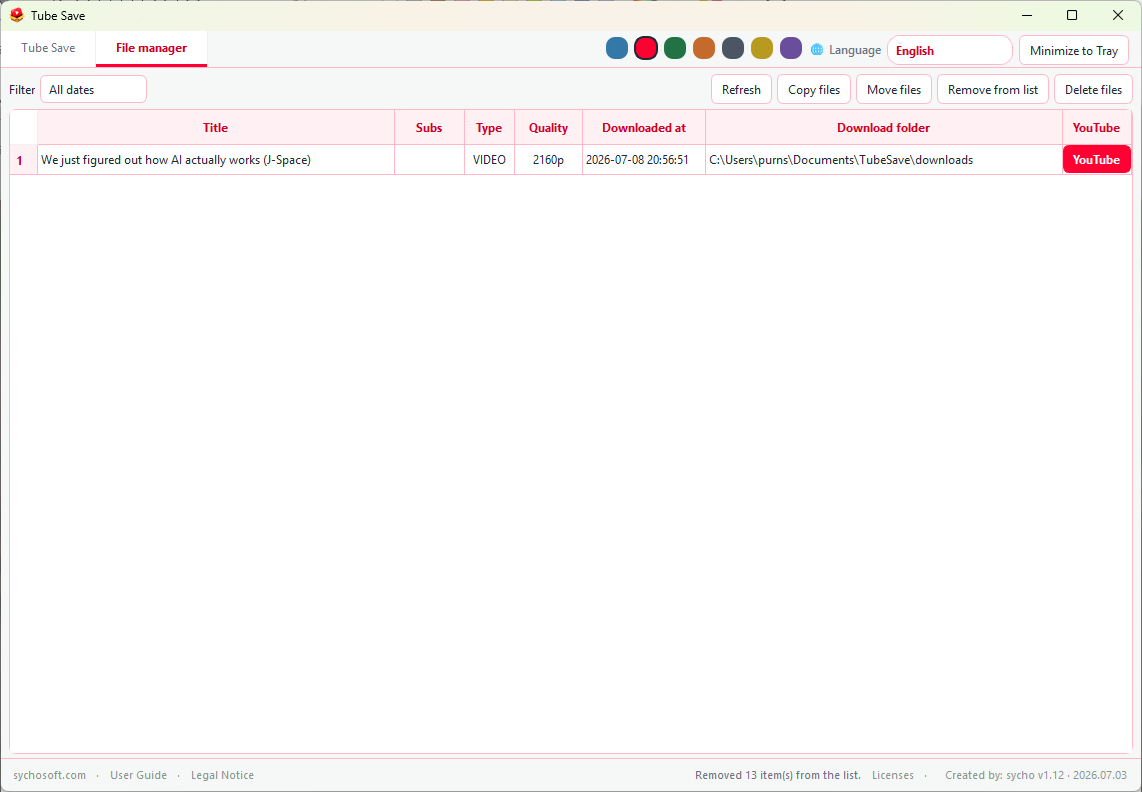
- File manager — Browse completed downloads, filter by date, copy or move files, open folders, and remove list entries or delete files.
- Tray & clipboard — Minimize to the system tray; optional automatic detection of copied video links.
- Languages & themes — Nine UI languages and seven accent color themes.
When to use it
- You want MP4 or MP3 files on your PC from YouTube or other supported sites.
- You need several videos from a playlist without downloading one by one manually.
- You only need a section of a long video (intro, highlight, clip).
- You want subtitles saved alongside the video for study or archiving.
- You prefer a simple Windows app with a portable single executable.
How to use
- Download Tube Save.exe from the box above.
- Place it in any folder (Desktop, USB drive, shared folder, etc.).
- Double-click to launch. Running the exe again brings the existing window to the front.
- Paste a video or playlist URL and click Add URL (or enable clipboard watch).
- Set format, folder, and quality in Settings, then click Download Selected or Download All.
- Open finished files from the File manager tab or your download folder.
No separate installer is required. The program is a portable single executable.
Download info
| Item | Detail |
|---|---|
| File | Tube Save.exe |
| Updated | July 1, 2026 |
| File size | ~55.8 MB |
| Format | Portable Windows executable (no installer) |
Requirements
- Windows 10 or later (64-bit recommended)
- Internet connection — required for fetching media metadata and downloads.
- FFmpeg — not bundled in the exe. On first video download or trim, the app may download FFmpeg into
Documents\TubeSave. Ifffmpeg.exeis already there or on your PATH, that copy is used. - Administrator rights are not required to run Tube Save itself.
Settings, download history, and optional FFmpeg are stored underDocuments\TubeSave on your PC.
Legal notice
Download only content you own, have permission to save, or are legally allowed to download. YouTube’s terms restrict downloading except where the service or rights holder explicitly allows it. This app does not bypass DRM or access controls. Tube Save is not affiliated with, endorsed by, or sponsored by YouTube or Google.
Changelog
2026-07-01 — Tube Save v1.0
- Single portable executable: Tube Save.exe
- Video (MP4) and audio (MP3) downloads with per-item quality
- Playlist support with item limit
- Video trim, subtitles, and thumbnail options
- Download queue with pause / resume / stop
- File manager with copy, move, and delete
- Nine UI languages and seven color themes
- FFmpeg auto-setup on first need (not included in exe)
- System tray minimize and clipboard link detection
FAQ
Do I need an installer?
No. Tube Save.exe is portable. Download it, place it anywhere, and run it.
Is FFmpeg included in the exe?
No. FFmpeg is downloaded when needed (video download or trim), unless you already have it in Documents\TubeSave or on your PATH.
Can I download playlists?
Yes. Paste a playlist URL, choose single file or all items, and set a limit if you want only the first N videos.
Can I download only audio?
Yes. Set format to Audio only (MP3) in Settings.
Do I need PowerPoint or Ghostscript?
No. Those are for Document Studio, not this app.
Mac or Linux support?
This build targets Windows only.
Download failed or is slow.
Check your connection and the URL. Some videos may be blocked or unavailable. Retry later or contact us through sychosoft.com if the problem continues.
Where are my files saved?
By default in Documents\TubeSave\downloads. You can change the folder in Settings.
Comments