Excel file(sheet) split, merge
no install, no ads, only double click.
Overview
SheetStudio — Excel Split & Merge
Created by sycho · Windows · xlsx / xls
Published by SychoSoft
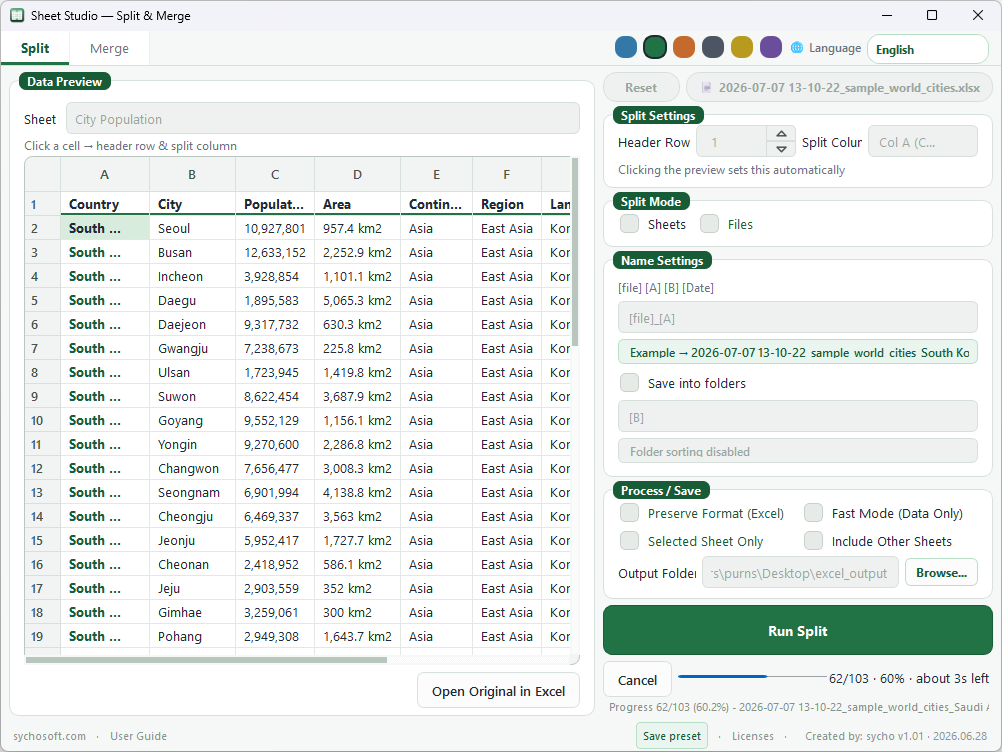
SheetStudio is a Windows utility for splitting Excel workbooks by column values and merging multiple Excel files in list order. Use it when you receive one large sheet that should become separate files, or when several exports need to be combined into one workbook.
Main features
- Split by column — Create separate workbooks from rows that share a column value (for example region, department, or SKU).
- Optional folder sorting — Group output files into subfolders when splitting.
- Many sheets — Split a workbook with many sheets into multiple files sequentially or by column.
- Merge workbooks — Combine multiple Excel files in the order you choose.
- Supported formats — .xlsx and .xls on Windows.
When to use it
- A vendor sends one master sheet and you need one file per customer, branch, or category.
- Monthly reports arrive as separate files and you want a single combined workbook.
- A workbook has too many sheets and you want smaller files that are easier to email or archive.
How to use
- Download
SheetStudio.exefrom the box above. - Place it in any folder and double-click to launch.
- Choose Split or Merge from the main screen.
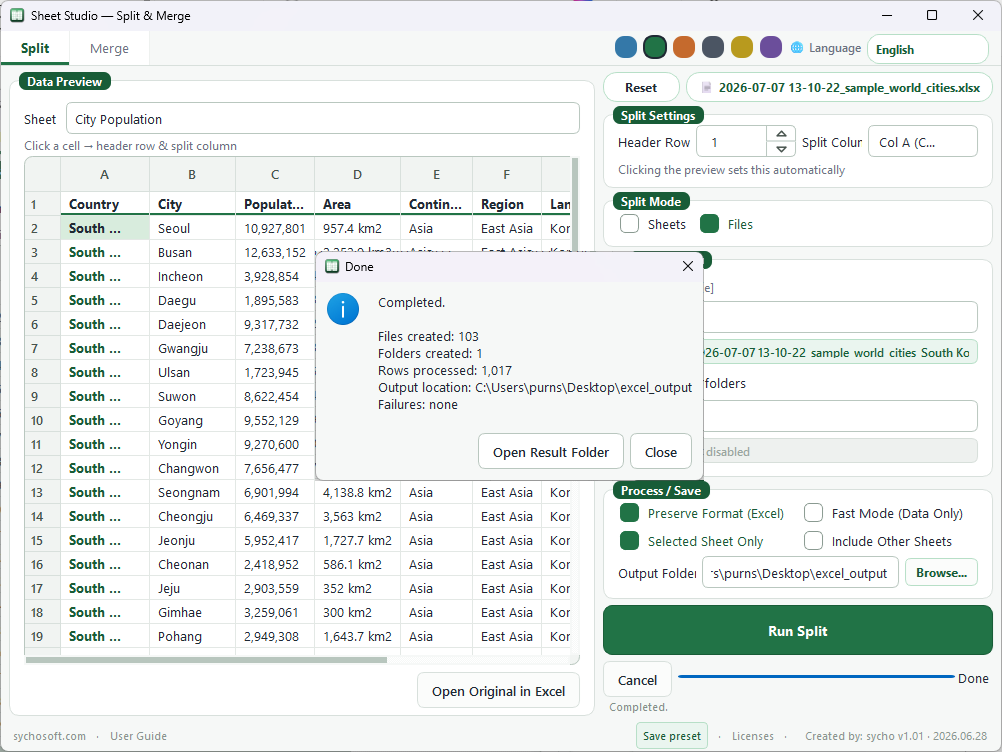
- Add your Excel file(s), set the column or order options shown in the app, and run the task.
- Open the output folder from the completion message.
No separate installer is required. The program is a portable single executable.
Download info
- File: SheetStudio.exe
- Updated: June 19, 2026
- File size: 49.1 MB
- Format: Portable Windows executable (no installer)
Requirements
- Windows 10 or later (64-bit recommended)
- Microsoft Excel is not required for basic split/merge tasks handled inside the app
- Back up important workbooks before batch processing
Changelog
2026-06-19 — SheetStudio
- Split sheets or files by column values with optional folder sorting
- Split multi-sheet workbooks sequentially or by column
- Merge multiple Excel files in order
FAQ
Do I need an installer?
No. SheetStudio.exe is portable. Download it, place it anywhere, and run it.
Which Excel formats are supported?
.xlsx and .xls files on Windows.
Will my formulas and formatting be kept?
Results depend on the source file and task. Test with a copy of your data before processing production files.
Mac or Linux support?
This build targets Windows only.
Download failed or is slow.
Retry later or try another browser. Contact us through sychosoft.com if the problem continues.
Comments