PDF compress, merge, split
PPT merge, compress
Image merge
no ads, no install, only double click.
Overview
Document Studio — PDF · Images · PowerPoint
Created by sycho · v1.12 · 2026.07.06
Published by SychoSoft
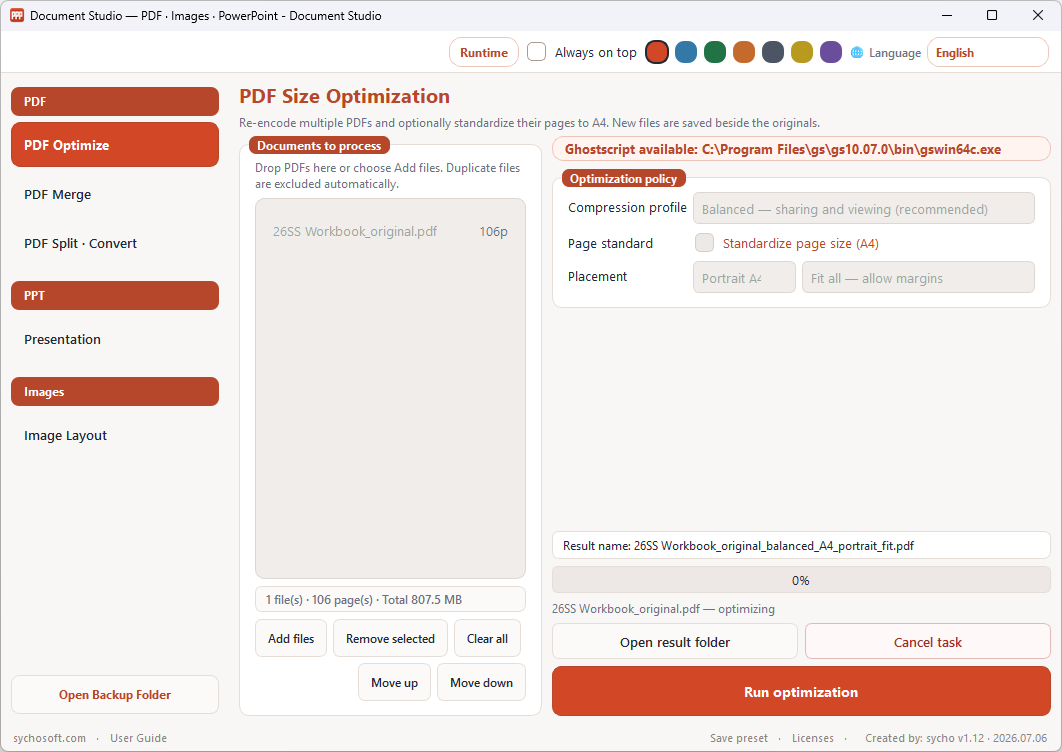
Document Studio is a lightweight Windows desktop app for everyday document work: compress PDFs, merge or split them, export pages as images, build PDFs from pictures, and merge or optimize PowerPoint files. Add files with buttons or drag-and-drop, set options on the right, and run the task. This is a processing tool — not a general-purpose PDF or image viewer.
Main features
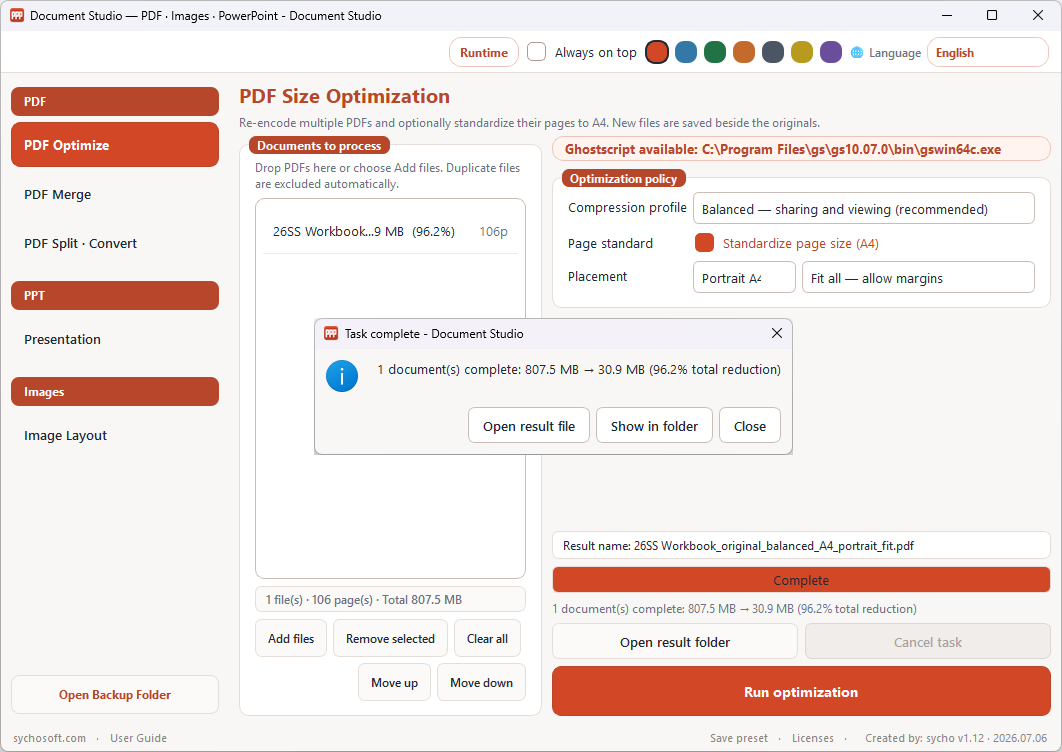
- PDF Optimize — Four compression profiles and optional A4 standardization. Requires Ghostscript.
- PDF Merge — Combine PDFs in list order. Drag rows to reorder. Does not require Ghostscript.
- PDF Split · Convert — Split by page, fixed page count, or custom ranges; export pages as JPEG, PNG, or BMP at 150, 300, or 600 DPI.
- Image Layout — Build a multi-page PDF or one continuous strip. Rotate, flip, and reorder thumbnails.
- Presentation — Merge or optimize PowerPoint files. Optional safety backup before replacing originals.
- Languages & themes — Nine UI languages and seven accent color themes.
When to use it
- You need to shrink PDFs before email or upload without opening Adobe Acrobat.
- You want to merge scanned pages or split a long PDF into smaller files.
- You need a quick image-to-PDF layout for receipts, photos, or scans.
- You want to combine or slim down PowerPoint decks on a Windows PC.
How to use
- Download
DocumentStudio.exefrom the box above. - Place it in any folder (Desktop, USB drive, shared folder, etc.).
- Double-click to launch. Running the exe again brings the existing window to the front.
- Choose a task from the left sidebar (PDF, PPT, or Images).
- Add files (Add, Ctrl+O, or drag-and-drop), adjust options on the right, and click Run.
- Open the result file or folder from the completion dialog.
No separate installer is required. The program is a portable single executable.
Download info
- File: DocumentStudio.exe
- Updated: June 29, 2026
- File size: 54.8 MB
- Format: Portable Windows executable (no installer)
Requirements
- Windows 10 or later (64-bit recommended)
- Ghostscript — required for PDF Optimize and PDF page-to-image conversion only. Open Runtime in the app to check status or download.
- Microsoft PowerPoint desktop — required for Presentation tasks only.
Administrator rights are not required to run Document Studio itself.
Changelog
2026-07-06 — Document Studio v1.12
- PowerPoint: Fixed an issue where output files were saved as hidden during the "Merge into first file" process.
2026-06-29 — Document Studio v1.11
- Single portable executable: DocumentStudio.exe
- PDF optimize, merge, split, page-to-image, image layout, and PowerPoint tasks
- Image Layout: fixed drag-and-drop reorder in Preview mode
- Nine UI languages and seven color themes
FAQ
Do I need an installer?
No. DocumentStudio.exe is portable. Download it, place it anywhere, and run it.
Which tasks need Ghostscript?
PDF Optimize and PDF page-to-image conversion. PDF Merge and PDF splitting (without image export) work without Ghostscript.
Do I need PowerPoint for PDF tasks?
No. PowerPoint is only required for the Presentation task.
Mac or Linux support?
This build targets Windows only.
Download failed or is slow.
Retry later or try another browser. Contact us through sychosoft.com if the problem continues.
Comments